Arabic Calligraphy Generator: A Practical Review
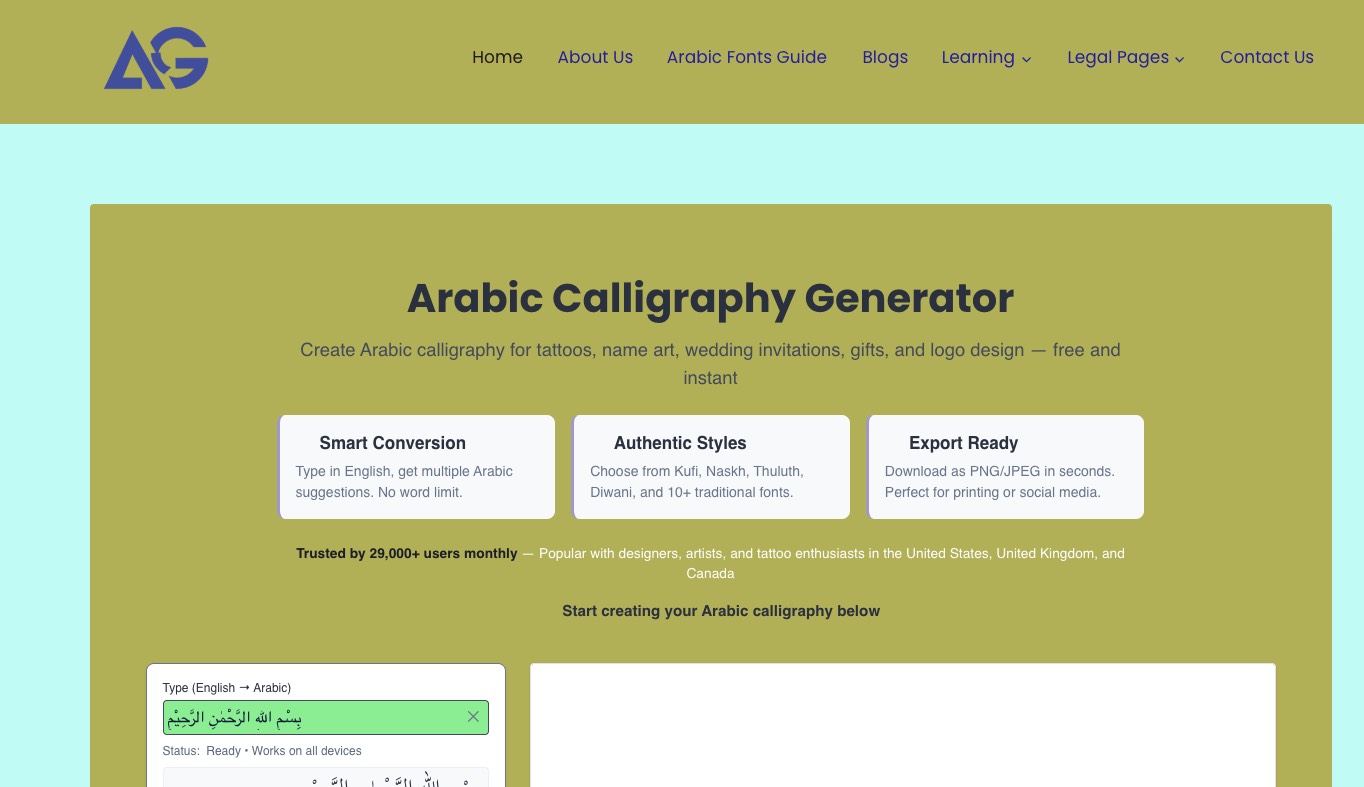
Arabic Calligraphy Generator is a browser-based tool for turning Arabic text into styled calligraphy, aimed at designers, students, tattoo clients, and anyone curious about how Arabic script looks in traditional forms. It runs entirely in the browser, with no sign-up or software download, and focuses on making classical calligraphy styles accessible without requiring formal training.
Unlike generic “cool font” apps, it positions itself as a bridge between real Arabic calligraphy rules and modern design workflows. The emphasis throughout the site is on authenticity: letter shaping, right-to-left flow, and historically grounded scripts rather than decorative approximations.
What the Tool Actually Does
At its core, the generator converts text into Arabic script and then renders it in one of 13+ calligraphy-inspired fonts, including Thuluth, Naskh, Diwani, Diwani Jali, Kufi, Nastaliq, Ruqaa, Ijaza, Shekasta, Cairo, Markazi, and Lateef.
There are two broad modes of use:
- Type Arabic directly, if you already know the script.
- Type in English and let the system suggest Arabic equivalents for names and short phrases.
The latter is particularly pitched at users who don’t read Arabic but want their name or a phrase rendered for tattoos, gifts, logos, or event designs. The site repeatedly reminds users to verify any tattoo text with a native speaker, which is a sensible and necessary disclaimer.
Once text is on the canvas, you can control font, size, color, stroke, rotation, opacity, and background texture, then export as PNG, transparent PNG, or JPEG at different scales (1x–3x). This makes the tool suitable both for on-screen previews and printable artwork.
Interface and Workflow
The interface is intentionally straightforward. A single-page layout combines the live canvas with controls for typography and styling:
- A text box where you type or paste the content (with English-to-Arabic conversion available).
- A font dropdown featuring the different calligraphic styles.
- Size controls (e.g., font size in pixels).
- Color and stroke settings, with on/off toggles, stroke color, and stroke width.
- Rotation and opacity sliders.
- Background options including solid white, transparent, and a set of textures, plus support for uploaded backgrounds.
- Export controls for format and scale, followed by a one-click export button.
The workflow feels more like a focused design utility than a full design suite. You’re not handling multiple layers, complex layouts, or advanced typography systems; you’re shaping a single block of calligraphy and preparing it for use elsewhere (Canva, Photoshop, print shops, tattoo references, etc.).
For new users, the learning curve is minimal. You type, pick a font, tweak appearance, and export. The heavier educational content—guides on scripts, tutorials, and galleries—is available, but separate from the core generator, which keeps the primary tool from feeling cluttered.
Educational Focus: More Than a Font Playground
A notable part of the product is the educational angle. The site doesn’t treat Arabic calligraphy as just a visual effect; it explains why proper letter shaping matters and how calligraphy is fundamentally a writing system, not just a font.
Several sections expand on this:
- What an Arabic calligraphy generator is, and how it differs from simple font replacement.
- How Arabic letters change shape depending on position (initial, medial, final, isolated).
- The relationship between script and language, including Classical Arabic, Modern Standard Arabic, and dialects.
- Basic grammar concepts like roots, plurals, and verb changes—primarily to underline that calligraphy modifies the visual form, not the meaning.
There are dedicated learning resources: a beginner’s path through the alphabet, letter connections, and the five major calligraphy styles, plus style guides for Kufi, Naskh, Thuluth, Diwani, Nastaliq, and Ruqaa. These aren’t just marketing pages; they work as reference material for students and enthusiasts who want some historical and cultural grounding.
This framing makes the tool suitable for classrooms and self-study. Teachers can generate examples to print, use in slides, or assign as visual exercises, while learners can experiment with how the same word appears in different historical scripts.
Practical Use Cases
The product page is very explicit about what people typically create with the generator. A few patterns emerge:
- Tattoo preview: Non-Arabic speakers can see how a phrase looks before committing to a permanent design. High-resolution exports make it easy to share a reference with a tattoo artist.
- Name-based gifts: Names in calligraphy for mugs, framed prints, phone cases, or wall art. The straightforward export options help get designs into physical products quickly.
- Wedding and event materials: Arabic elements for invitations, save-the-dates, signage, and backdrops. Transparent PNG exports are handy for dropping into layout tools like Canva or standard document editors.
- Logos and branding: Early-stage logo concepts for restaurants, boutiques, or brands targeting Arabic-speaking audiences or Islamic design aesthetics.
- Social content: Square calligraphy compositions for Instagram, Pinterest, and Facebook, including Quranic verses, Islamic quotes, or simple name art.
Beyond this, the generator is flexible enough for more experimental work—mixing traditional and modern scripts, creating decorative quotes, or trying different color and texture combinations for posters.
Who It’s Best For
The tool is clearly optimized for a few overlapping audiences:
- Designers who occasionally need Arabic script, but don’t specialize in Arabic typography.
- Tattoo clients and artists who want accurate script references without learning the language.
- Students, teachers, and calligraphy enthusiasts exploring script structure and historical styles.
- Small businesses or individuals producing their own logos, invitations, or social media visuals.
It is less about deep, professional type design and more about accessible, visually credible calligraphy output that can be used as-is or as a base for further refinement in other software.
Strengths
Several strengths stand out from the way the product is presented and structured:
- Authentic script handling: The generator emphasizes correct joining behavior and contextual letter forms, so the output reads as natural Arabic rather than decorative glyph sequences.
- Breadth of styles: Having more than a dozen scripts—from Kufi to Diwani and Nastaliq—makes it valuable for experimentation. You can quickly see how a word feels in different historical and cultural contexts.
- Export flexibility: Transparent PNG, standard PNG, and JPEG with multiple scale options cover most practical scenarios, from social media posts to A4/letter-sized prints.
- Educational layer: Guides, tutorials, and galleries contextualize the tool and encourage respectful, informed use of Arabic calligraphy rather than superficial decoration.
- No account gating: Everything runs in the browser, which lowers friction for casual use and classroom adoption.
Limitations and Considerations
The site is transparent about what the generator is—and is not.
For one, it is not a replacement for professional calligraphers when it comes to complex manuscripts, museum-grade pieces, or detailed Quranic compositions. Those works involve subtle proportional systems and artistic judgment that go beyond what a template-based digital tool can deliver.
Other practical considerations include:
- Language accuracy: While the tool can convert English to Arabic script for names and simple phrases, it cannot replace a native speaker or linguist. Anyone using it for tattoos, formal religious text, or official branding should validate the wording and spelling separately.
- Design depth: The editor focuses on a single text object with styling controls. Users looking for full layout tools (multiple text blocks, vector shapes, complex compositions) will still need external software.
- Niche familiarity: For complete beginners, terms like Thuluth or Nastaliq may feel foreign at first. The educational content helps, but there’s still a bit of vocabulary to pick up.
These aren’t flaws so much as natural boundaries of the product. The team leans into those boundaries instead of pretending it can do everything a trained calligrapher can.
Where Arabic Calligraphy Generator Fits in a Workflow
In practice, Arabic Calligraphy Generator works best as a specialized step in a broader creative or educational workflow:
- For design projects, it sits between text ideation and layout: you generate the calligraphic text here, export it, then refine or place it in tools like Photoshop, Canva, Figma, or a desktop publishing app.
- For education, it acts as a visual lab where learners see how letters change form and how different scripts behave, then apply that understanding in handwriting practice or further study.
- For tattoos and personal art, it serves as a preview and reference point: a way to agree on look and spelling before involving professionals.
Because the product is dedicated to one thing—accurate, styled Arabic script—it avoids the clutter and complexity of general design software while still integrating nicely with it via simple exports.
Verdict
Arabic Calligraphy Generator is a focused, well-thought-out tool for anyone who needs authentic-looking Arabic script without becoming a calligrapher themselves. Its value comes less from novelty and more from respecting the structure of the language and the history of the scripts it implements.
For designers, students, and individuals working with Arabic text in visual form—whether for tattoos, invitations, logos, or classroom projects—it offers a practical, low-friction way to generate readable, culturally grounded calligraphy and take it into whatever design or print workflow they already use.