
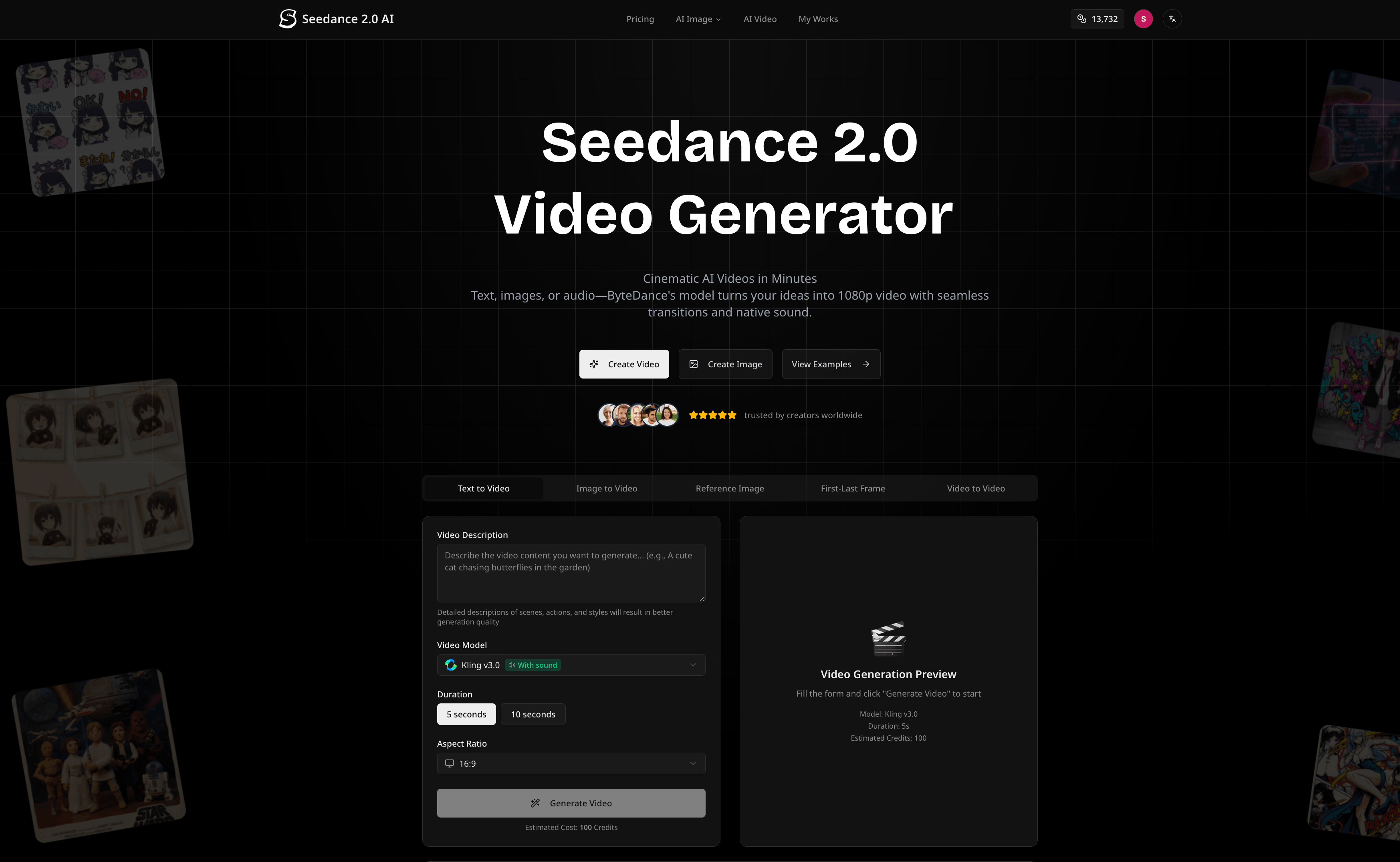
What is Seedance 2.0
Seedance 2.0 is ByteDance’s next-generation AI video generator that turns text, images, or audio into cinematic multi-shot videos with native sound. It supports 1080p and 2K output, keeps characters consistent across shots, and synchronizes visuals precisely with dialogue, music, and sound effects, making it ideal for ads, education content, social clips, and storytelling.
How to use Seedance 2.0
Sign up and log in
Visit the Seedance 2.0 platform and create an account or log in to your existing one. This allows you to access the video workspace, manage your projects, and use your credit balance.Choose your creation mode
On the main interface, select the type of generation you need:- Text to Video
- Image to Video
- Reference Image (for style and identity control)
- First–Last Frame (to control start and end states)
- Video to Video (transform or enhance an existing clip)
Pick the mode that best matches your starting material and creative goal.
Enter a detailed video description
In the prompt or “Video Description” box, write a clear and specific description of the scenes you want. Include:- Environment and setting (indoor studio, city street, classroom, fantasy world, etc.)
- Characters (appearance, clothing, age, role, personality traits)
- Actions and movement (what each character is doing, camera motions, transitions)
- Visual style (cinematic, animated, realistic, stylized, brand-specific tone)
The more concrete and descriptive your prompt is, the easier it is for Seedance 2.0 to generate coherent, high-quality shots.
Upload reference images (optional but recommended)
If you want strong control over the look of characters or scenes, upload one or two reference images:- A single image to set the core style or main character identity
- Two images to define the first and last frame, so Seedance 2.0 can smoothly animate between them while preserving identity and style
Add audio or choose native sound behavior
Decide how audio will drive your video:- Upload your own voiceover or music track to let Seedance 2.0 sync visuals and lip movements to your audio’s rhythm and timing
- Let the model automatically generate dialogue, Foley, and ambience to match the scene, using context-aware sound design
Select Pro or audio-driven modes if you require fine-grained lip-sync and music-driven pacing.
Select the video model
In the model selector, choose “Seedance 2.0” as your primary engine for multi-shot, audio-ready videos. You can also explore other supported models if you need alternative looks or performance, but Seedance 2.0 is optimized for coherent narratives and native sound.Configure duration and aspect ratio
Set the clip length (typically between 5 and 12 seconds) based on your use case, such as social snippets or short ad segments. Then choose the aspect ratio:- 16:9 for standard desktop, web, and YouTube-style content
- 9:16 for TikTok, Reels, and Shorts
- 1:1 or other ratios for feeds, banners, and platform-specific placements
This ensures your output is ready-made for the channels where you will publish.
Adjust quality and resolution settings
Decide whether to use standard or Pro-quality modes depending on your needs:- Standard settings for fast iteration and concept exploration in 1080p
- Pro or high-resolution options for 2K output, stronger detail, and more robust audio-to-video alignment
Review estimated credit usage so you know how many credits will be consumed per second of generated video.
Generate a preview
Click “Generate Video” to start the creation process. Seedance 2.0 will process your prompt, references, and audio, then produce a preview clip. Use this to check:- Character consistency across shots
- Motion smoothness and camera flow
- Alignment between visuals, lip movements, and audio
- Overall mood, pacing, and storytelling clarity
Refine the prompt and re-generate if needed
If the initial result is not perfect, refine your description:- Add more detail about lighting, camera angles, and transitions
- Clarify character actions or emotional tone
- Adjust or replace reference images and audio
Run another generation until you achieve a video that matches your creative direction.
Download and export your video
Once satisfied, download the final MP4 file in your chosen resolution. Seedance 2.0 provides watermark-free, production-ready exports that you can import directly into your editing pipeline or publish as-is on social platforms, ad managers, and LMS tools.Organize and manage your projects
Use the “My Works” area to keep track of generated videos, compare iterations, and reuse prompts. This library becomes your personal repository of concepts, campaigns, and assets that you can re-edit or repurpose over time.
Seedance 2.0's use case
Paid advertising and performance marketing
Build multi-shot campaign creatives for display networks, social ads, and streaming platforms. Generate product-centric videos with consistent branding, native sound, and multiple aspect ratios tailored to each ad placement.Brand storytelling and hero videos
Craft short branded narratives that follow the same characters across scenes. Seedance 2.0 maintains clothing, facial features, and style from shot to shot, making it suitable for narrative intros, product launches, and brand films.Social media content and vertical clips
Produce TikTok, Instagram Reels, and YouTube Shorts-ready videos in vertical or square formats. Seedance 2.0’s audio-visual sync allows you to align visuals with popular sounds, original music, or creator voiceovers for highly engaging posts.Educational videos and training modules
Generate animated explainers, historical reenactments, and avatar-driven lectures. Accurate lip-sync and context-aware sound effects help bring lessons, tutorials, and onboarding content to life without a live film crew.Pre-visualization for film, TV, and animation
Use Seedance 2.0 to block out scenes, camera moves, and pacing before live production. Directors, storyboard artists, and studios can quickly test different compositions, character looks, and motion flows to guide real-world shoots.Product demos and feature highlights
Transform static product images into dynamic demos showing features, use cases, and environments. Multi-shot sequences can showcase different angles and use scenarios in a single cohesive video.Content for events and presentations
Create short, visually striking clips for conferences, keynotes, and webinars. Audio-to-video capabilities allow you to sync visuals with your speech, musical stings, or event theme songs.Creator and influencer content experimentation
Influencers and creators can rapidly prototype concepts, stories, and visual ideas without needing cameras or complex setups. This is ideal for testing new formats, niches, or series concepts on social platforms.
Benefits of Seedance 2.0
Cinematic multi-shot storytelling
Seedance 2.0 is built to generate coherent multi-shot sequences rather than isolated clips. It keeps characters, style, and motion consistent across scenes, enabling creators to tell compact stories and not just single moments.Native audio and precise lip-sync
The model natively understands audio, whether user-uploaded or auto-generated, and aligns visuals with dialogue, music, and ambience. This reduces manual sound design work and makes content feel more polished and immersive.Persistent character identity across shots
Facial features, clothing, and body shape stay stable from angle to angle and scene to scene. This is crucial for brand mascots, recurring characters, and narrative campaigns that require visual continuity.High-quality resolution up to 2K
Seedance 2.0 delivers 1080p by default, with Pro settings enabling up to 2K export. The result is sharp, detailed video suitable for social platforms, websites, and large displays, all without traditional production overhead.Flexible input options for any workflow
You can start from text, images, or existing audio, or even transform previous videos. This flexibility means Seedance 2.0 can fit into brainstorming, production, and post-production workflows with minimal friction.Fast generation and iteration cycles
Optimized generation speeds let you iterate quickly on prompts, styles, and story structures. Compared with traditional video production, this dramatically shortens the time from concept to usable asset.Platform-ready aspect ratios and formats
Support for 16:9, 9:16, 1:1, and other ratios, plus MP4 export, ensures your output is ready for most digital channels without extra conversion steps. Creators can design once and deliver across multiple platforms.Creator-friendly rights and long-term use
Generated works are designed to be kept and reused, with permanent usage rights for paid accounts. This makes Seedance 2.0 suitable for building reusable content libraries and evergreen campaigns.Accessible for individuals and teams
From solo creators to agencies and enterprise teams, Seedance 2.0 offers a scalable way to generate professional-grade video content, lowering the barrier to high-end production and opening new creative possibilities.