
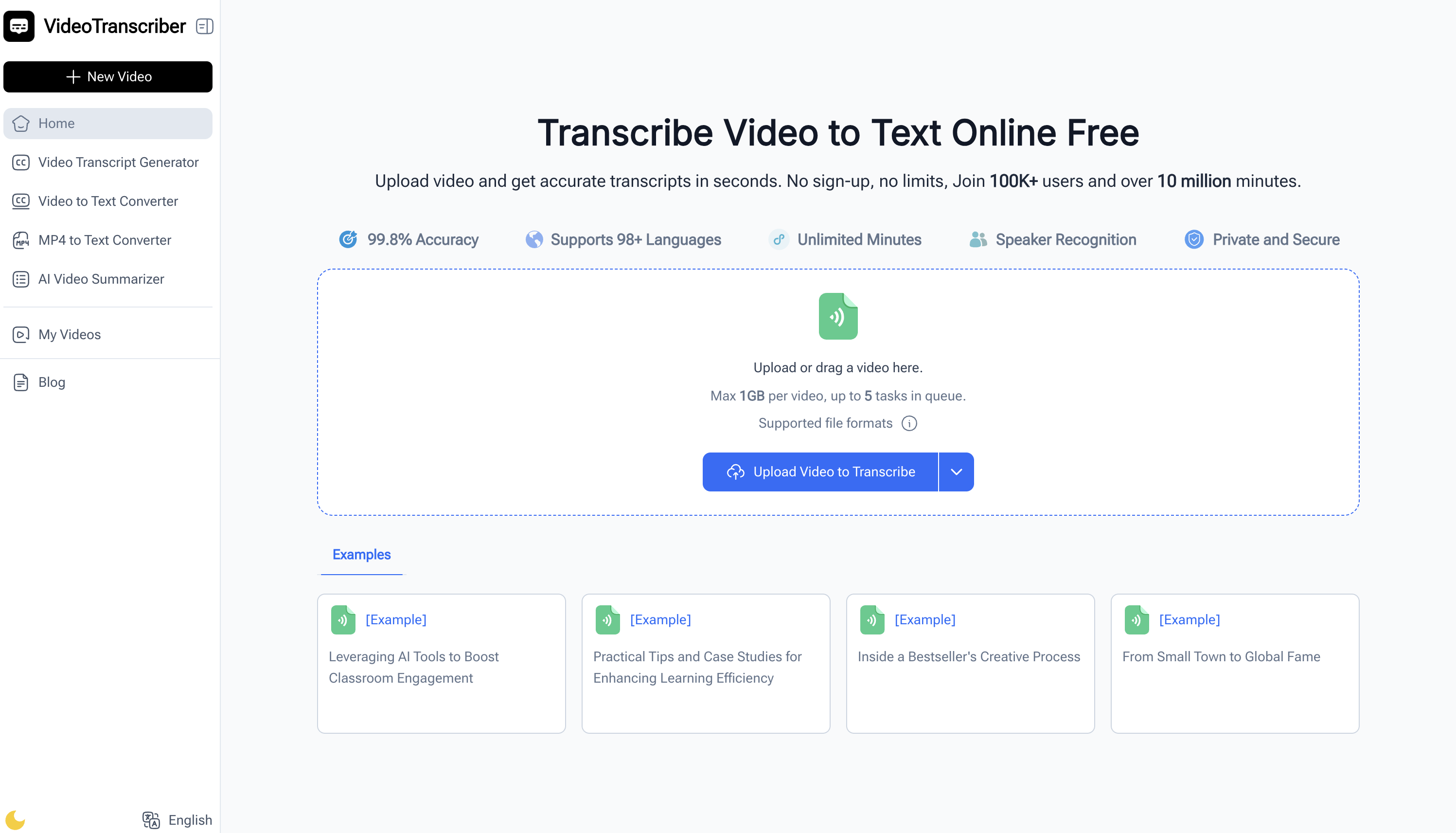
What is Video Transcriber AI
Video Transcriber AI is a browser-based transcription tool that converts spoken content from YouTube links, Zoom recordings, and MP4 files into clean, accurate text. It supports 98+ languages, optional speaker recognition, and multiple accuracy modes to fit study, work, and content creation needs.
How to use Video Transcriber AI
- Upload your video: Click “Upload or drag a video here” and add your file (MP4, YouTube link, Zoom recording; max 1GB per file, up to 5 tasks in queue).
- Choose settings: Select language, pick your preferred accuracy mode, and enable speaker recognition if you want labeled speakers.
- Start transcription: Let the AI process the audio automatically; it converts speech to text in seconds.
- Review the transcript: Scan for key points, verify speaker labels, and make light edits if needed.
- Copy, download, or share: Copy text into your notes, download a transcript file, or share with teammates and classmates.
Video Transcriber AI's use case
- Students and learners: Turn lectures and online courses into study notes for quick revision.
- Teachers and trainers: Create lesson materials, handouts, and captions to improve accessibility.
- Professionals and teams: Capture Zoom calls, client meetings, and webinars for easy follow-ups.
- Content creators: Generate captions and scripts to repurpose videos into blogs and posts.
- Researchers and writers: Transcribe interviews and talks to accelerate analysis and citation.
- Journalists and media: Convert press conferences and video interviews into text for fast reporting.
Benefits of Video Transcriber AI
- High accuracy: Multiple transcription modes and a claimed 99.8% accuracy for dependable results.
- Multilingual support: Works with 98+ languages to serve global audiences and teams.
- Speaker recognition: Built-in labeling helps clarify “who said what” in meetings and interviews.
- Fast processing: Get transcripts in seconds without installing software.
- Flexible inputs: Supports MP4 files, YouTube links, and Zoom recordings for seamless workflows.